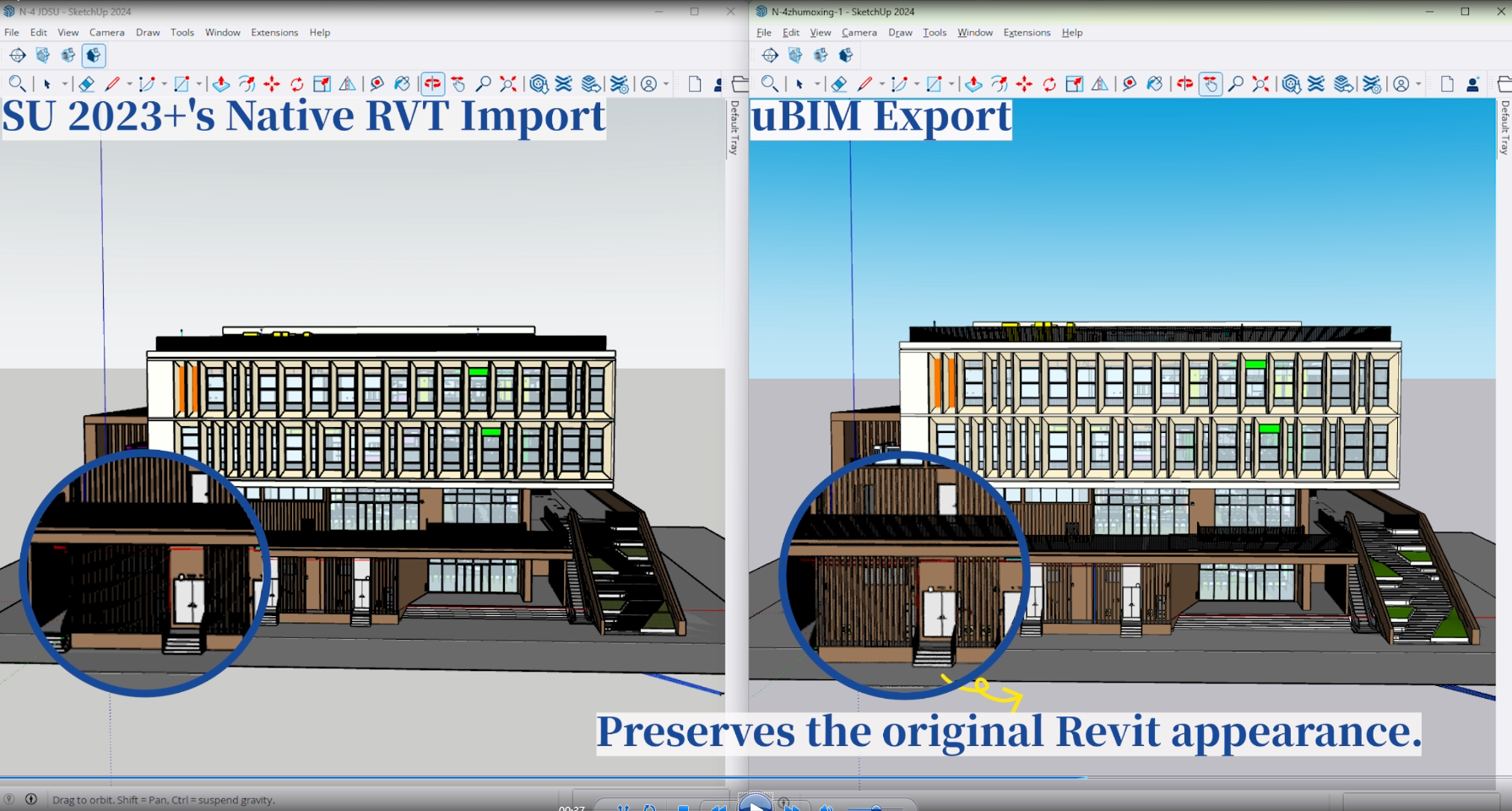
Carry over geometry and hierarchy
Carry over component hierarchy, curved surfaces and architectural details. Choose a coarse, medium or fine geometry detail level.
uBIM SKP Exporter for Revit
Export SKP files directly from Revit. Carry over geometry and component hierarchy, transfer materials and textures where supported, and include linked models when your SketchUp team needs them.

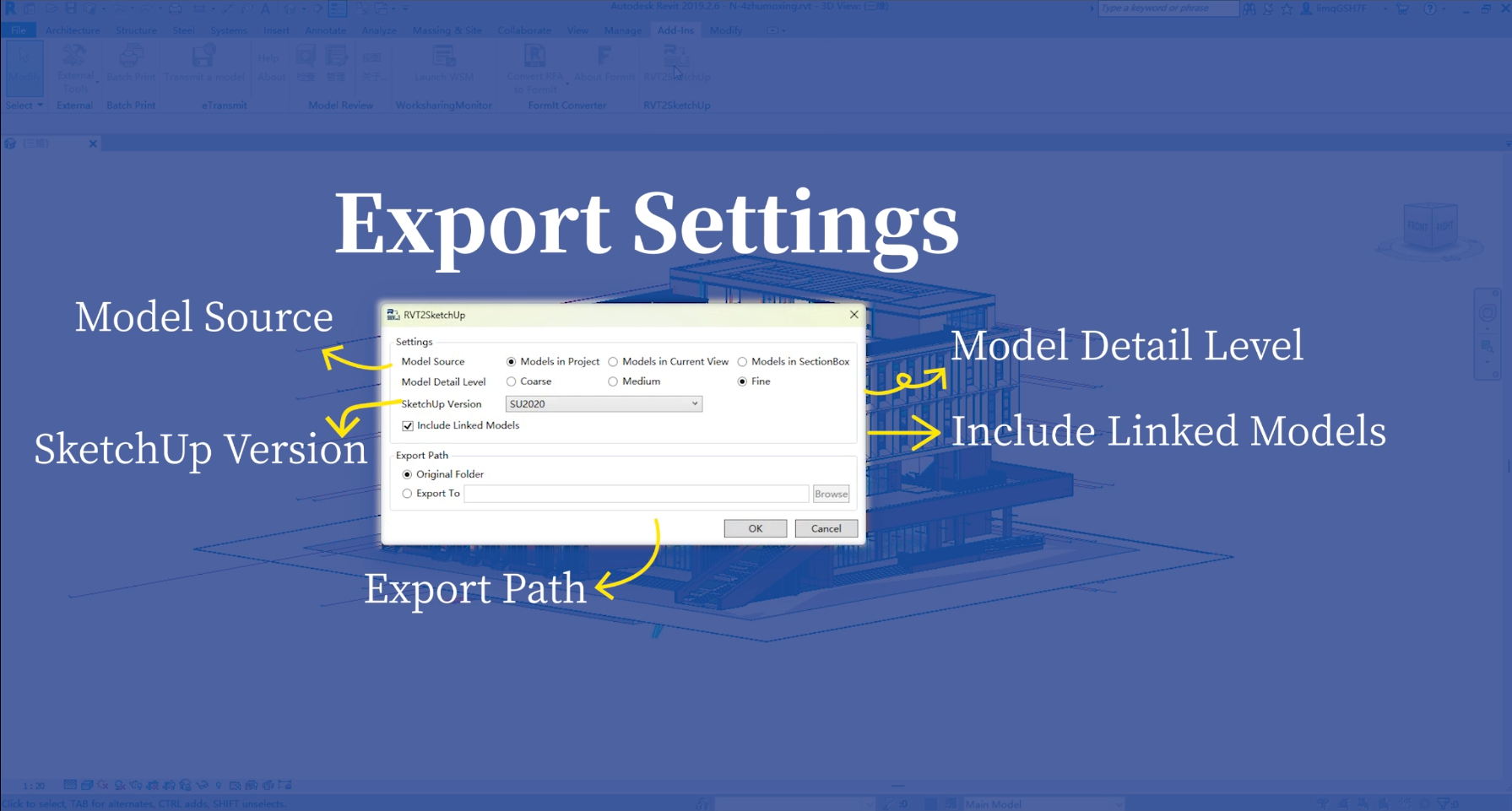
See which settings you can configure in Revit and how the exported building appears in SketchUp.
Control which elements go into the SKP and how much geometric detail they carry.
Carry over component hierarchy, curved surfaces and architectural details. Choose a coarse, medium or fine geometry detail level.
Transfer material properties and textures where supported to preserve the appearance of the model in SketchUp.
Export the entire project, the elements visible in the current view, or the contents of the active section box.
Include linked Revit models alongside the host so reviewers can view multiple disciplines in SketchUp.
Open RVT2SketchUp, configure the export and check the resulting model in SketchUp.
Read the product docsAfter installing the add-in, launch RVT2SketchUp from the Revit Add-Ins tab.
Select the model scope, detail level and target SketchUp version. Choose whether to include linked models.
Choose a destination folder and export. Open the SKP in the target SketchUp version to review geometry and materials.
Version compatibility, linked models and material conversion.
Check the Autodesk Marketplace listing for the Revit versions the add-in supports. When exporting, choose a SketchUp version that the recipient can open.
Yes. Select Include Linked Models in the export dialog to include Revit links. This can increase export time and file size.
The add-in transfers materials and textures where possible. Open the SKP in the target SketchUp version and review critical surfaces before sharing it.
Set up visibility or a section box in Revit, then select the current view or section box as the model source in the export dialog.
Get the add-in on Autodesk Marketplace or read the product documentation.