
The uBIM product ecosystem continues to expand its digital construction collaboration capabilities.
If RevitBot and CADBot help BIM professionals work faster with models and drawings, the uBIM Collaboration Platform focuses on a broader and more fundamental challenge:
Where should all project information live?
Can drawings, BIM models, site reality, tasks, and meetings finally work together?
In real projects, this is a familiar situation:
Files are stored in cloud drives. Drawings are buried in chat history. BIM models sit on individual computers. Site panoramas live in a separate system. Meeting recordings are scattered across mobile phones. Tasks are split between spreadsheets, messages, and project management tools.
Each tool solves part of the problem, but project teams need something more connected: a central workspace that brings every project element together.
That is what the uBIM Collaboration Platform is built for.
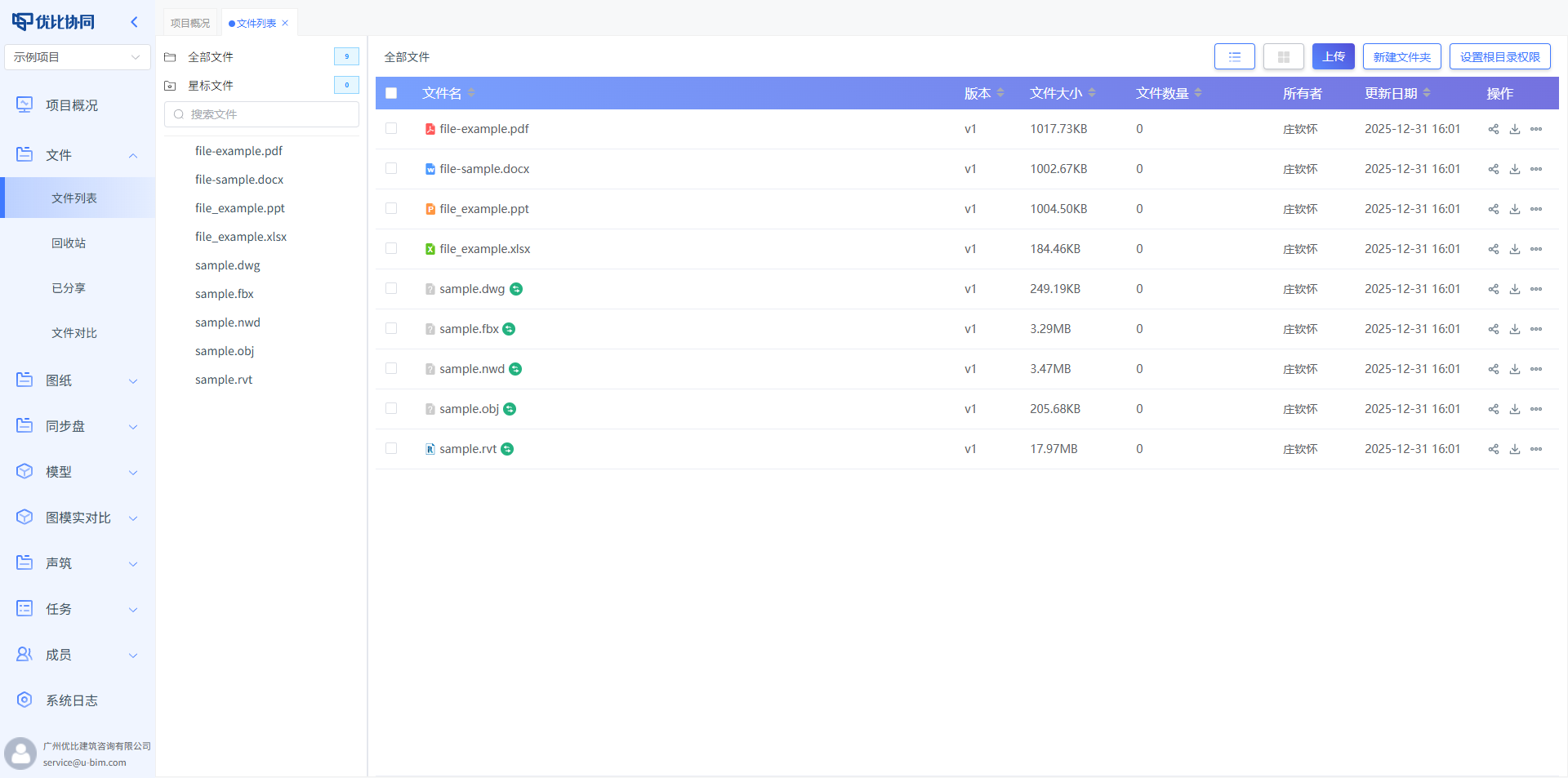
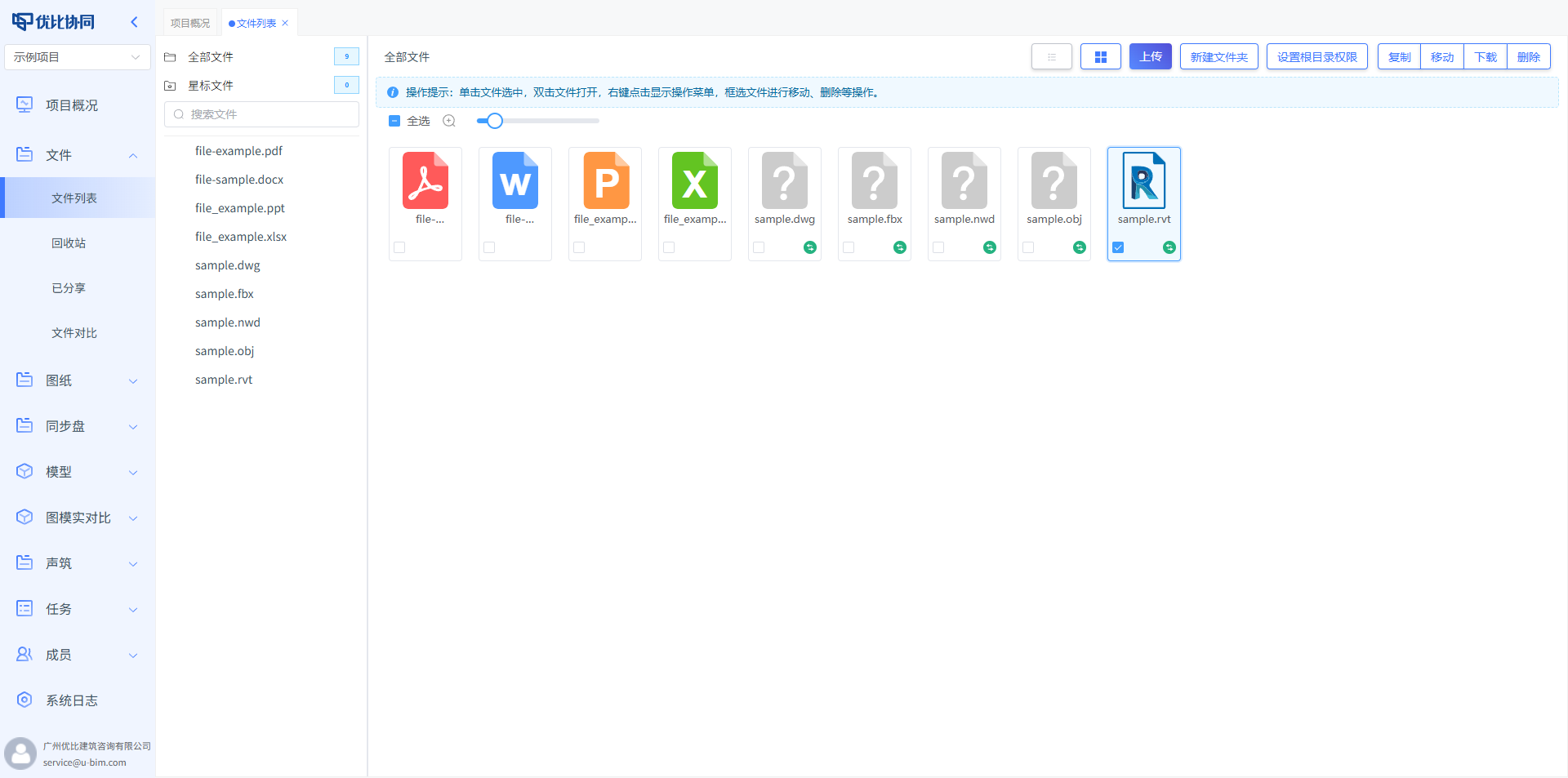
1. File Hub: One Place for All Project Documents
Every construction project starts with information.
The uBIM Collaboration Platform provides a unified file hub that supports drawings, BIM models, high-resolution images, 360° panoramas, Office documents, point clouds, and other professional formats for online viewing.
In other words, external collaborators do not need to install complicated software. They can open a browser and view project information directly.
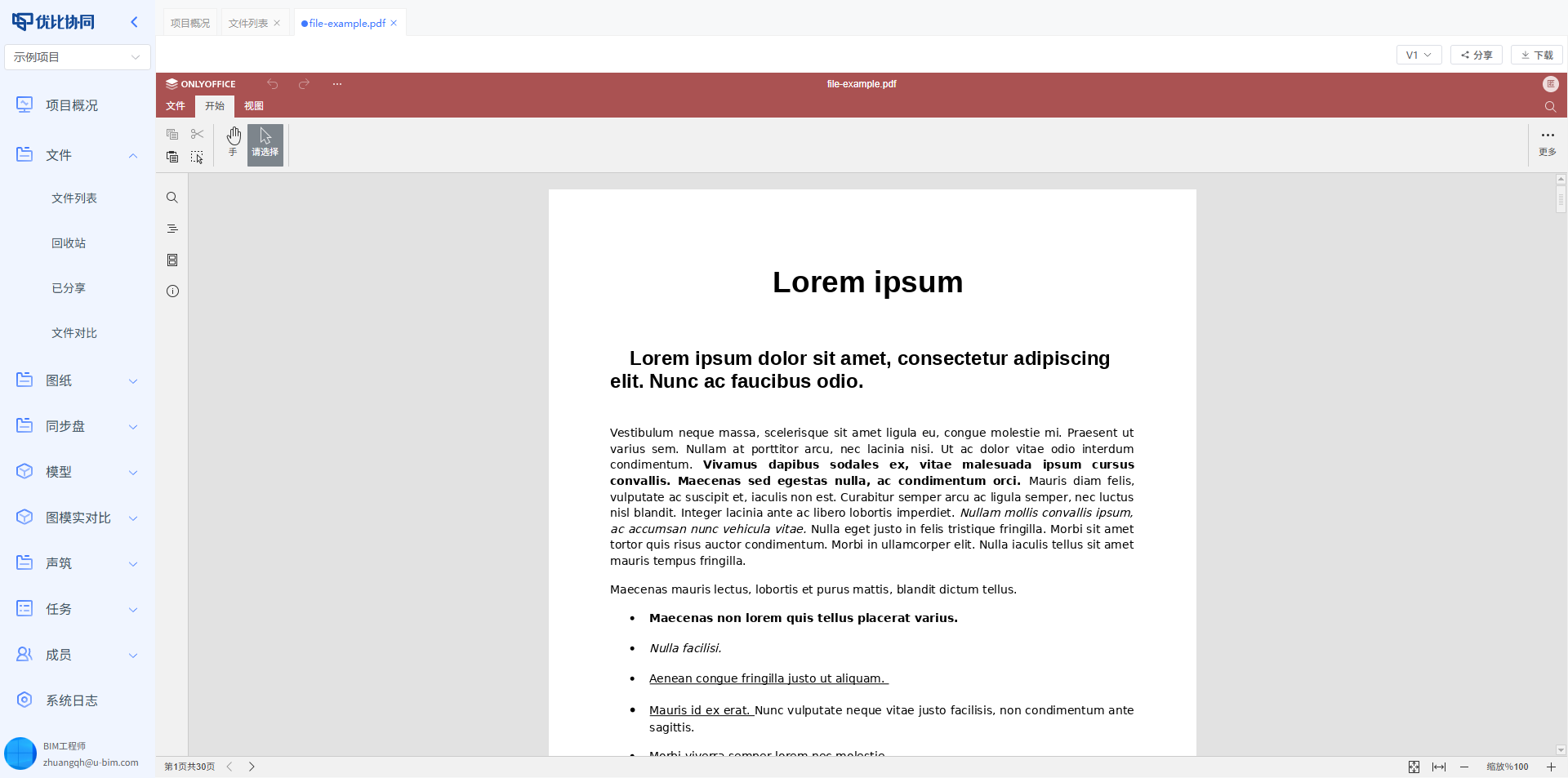
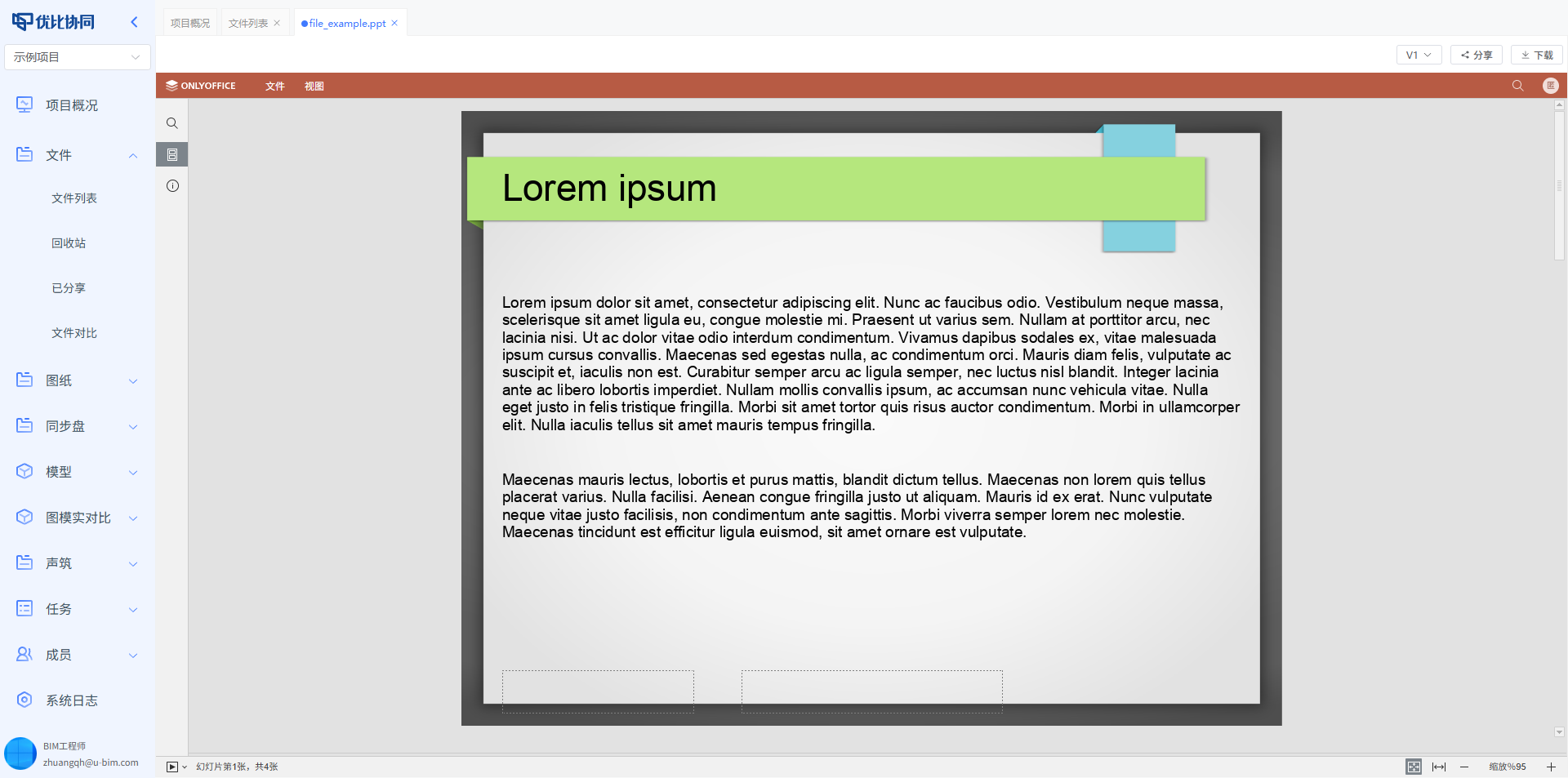
Common formats such as PDF, PowerPoint, Word, and Excel can all be previewed online:
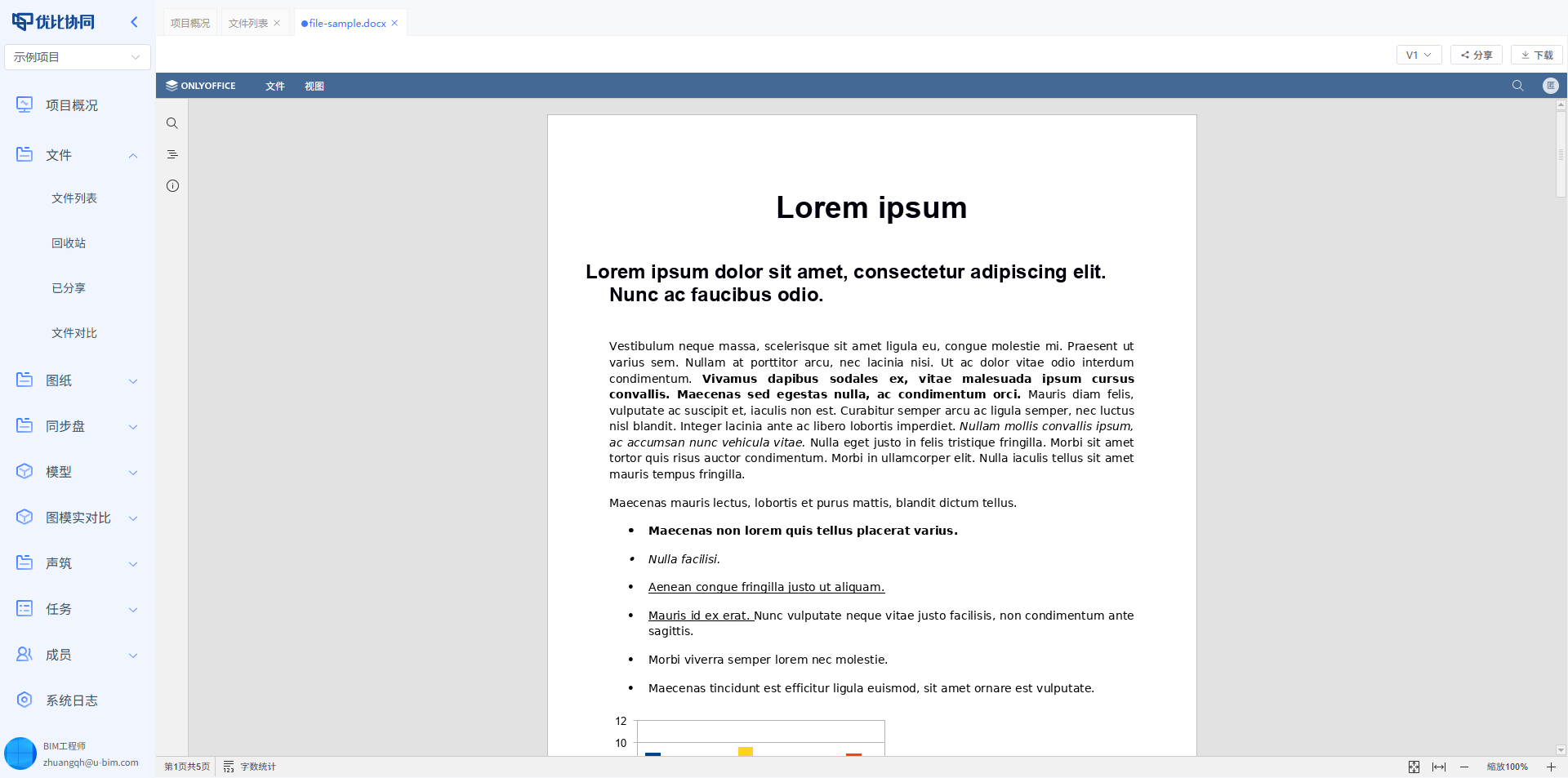
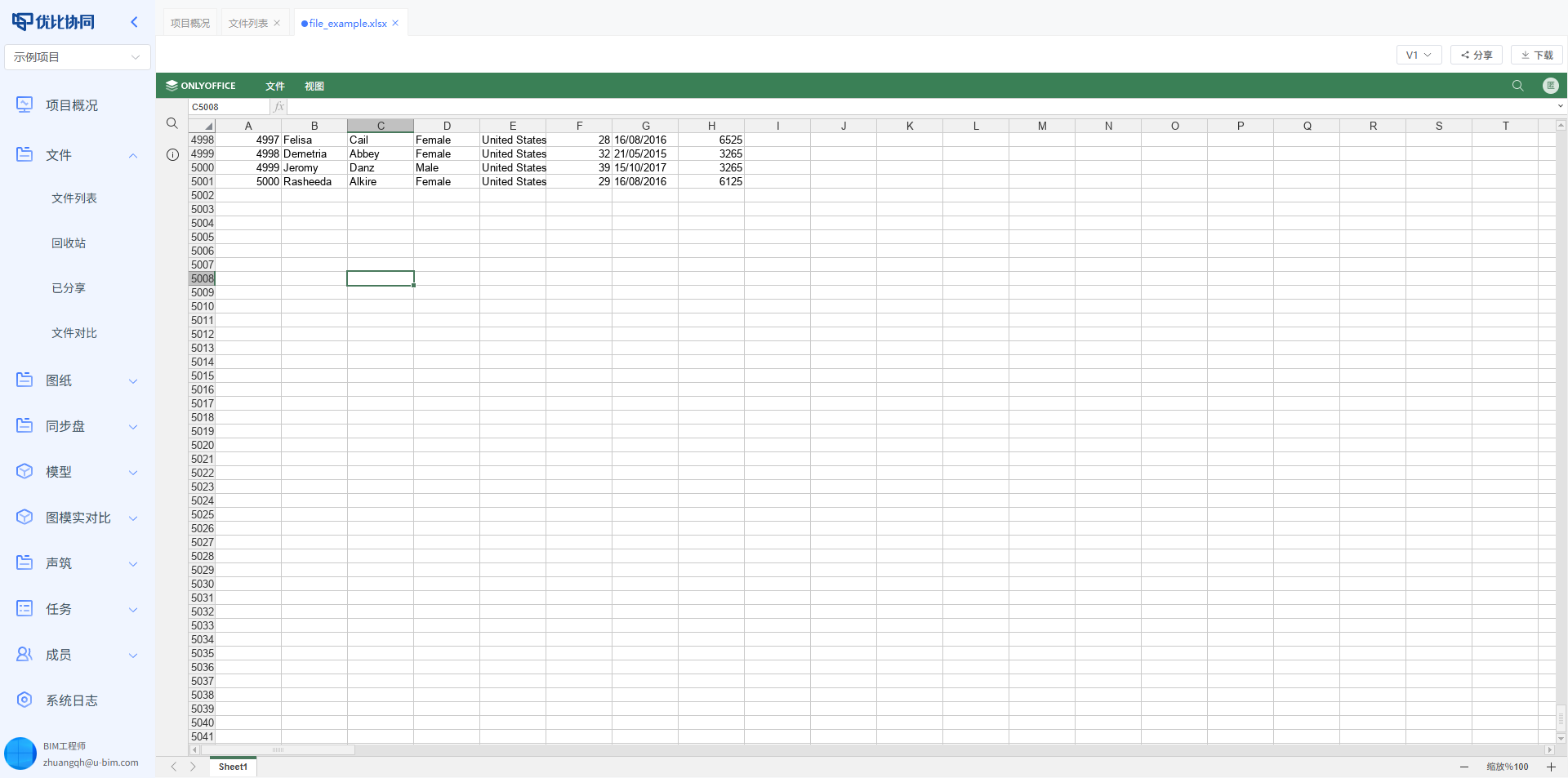
Point cloud data can also be opened directly in the platform:
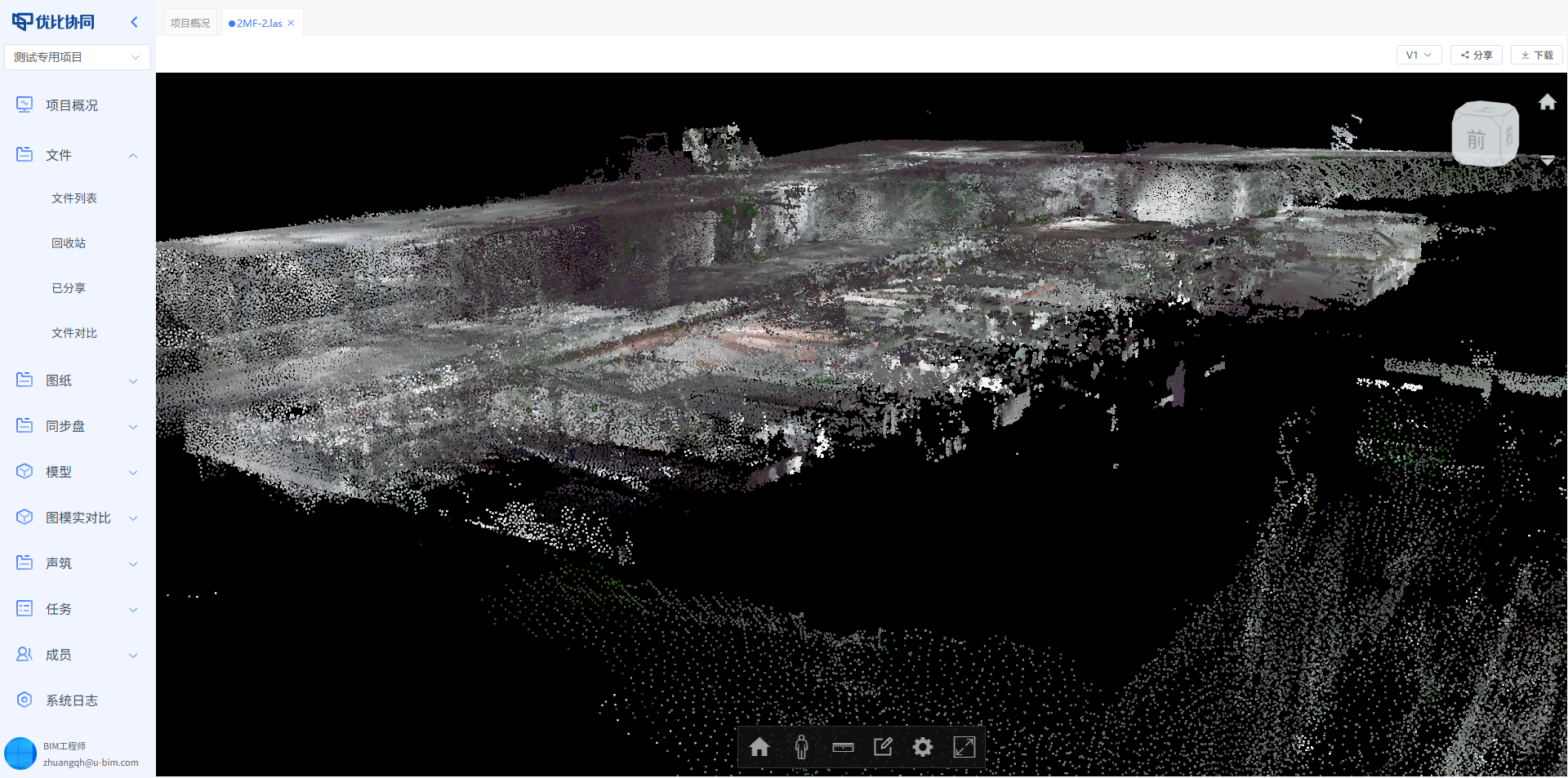
For project collaboration, the value is simple and practical:
Information is no longer blocked by file formats or software requirements.
2. Version Management: Every Change Is Traceable
What is one of the biggest problems with engineering documents?
It is not only the number of files. It is version chaos.
Names like “final version”, “final version 2”, “approved final”, and “do not modify final” are probably familiar to every project team.
The uBIM Collaboration Platform provides version history for files, drawings, and models, and supports comparison between versions. Teams can see when a file was updated, what changed, and whether a rollback is needed.
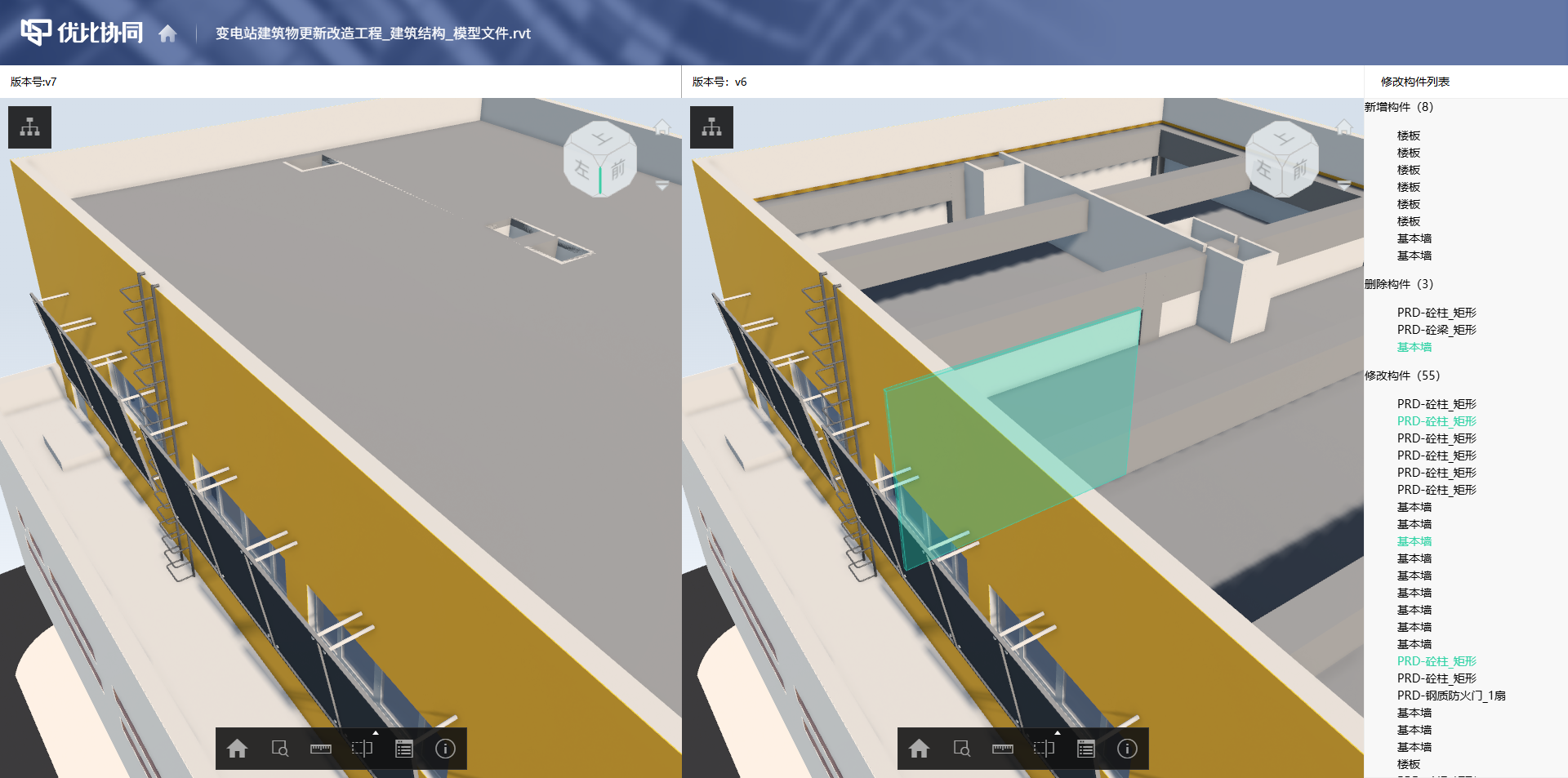
This is especially important for design delivery, model review, and drawing coordination.
Because in many cases, what slows down a project is not whether a file exists, but whether everyone is looking at the same version.
3. Secure Sharing: Open Collaboration with Clear Data Boundaries
Construction projects are naturally cross-company efforts.
Owners, designers, contractors, supervisors, consultants, and subcontractors all need to view or submit information. But if everything relies on ZIP files, chat apps, and temporary cloud links, it becomes difficult to manage permissions and version consistency.
The uBIM Collaboration Platform allows files or folders to be shared through secure links, with configurable access passwords, expiration dates, preview permissions, and download permissions.

External partners can open the link and view the information they need, while project teams still keep control over data access.
For deeper collaboration, external company members can also be invited into the project workspace, allowing different organizations to work in the same project environment.
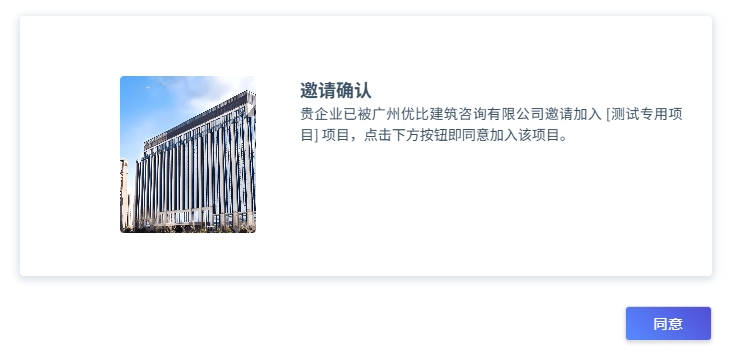
Open collaboration and secure control do not have to be a trade-off.
4. Drawing Review: Multi-Window Viewing for Faster Coordination
Drawings are among the most frequently used materials in engineering communication.
Built on top of the file hub, the uBIM Collaboration Platform provides a dedicated drawing review experience. Multiple drawings can be opened at the same time and arranged side by side or in overlapping windows.
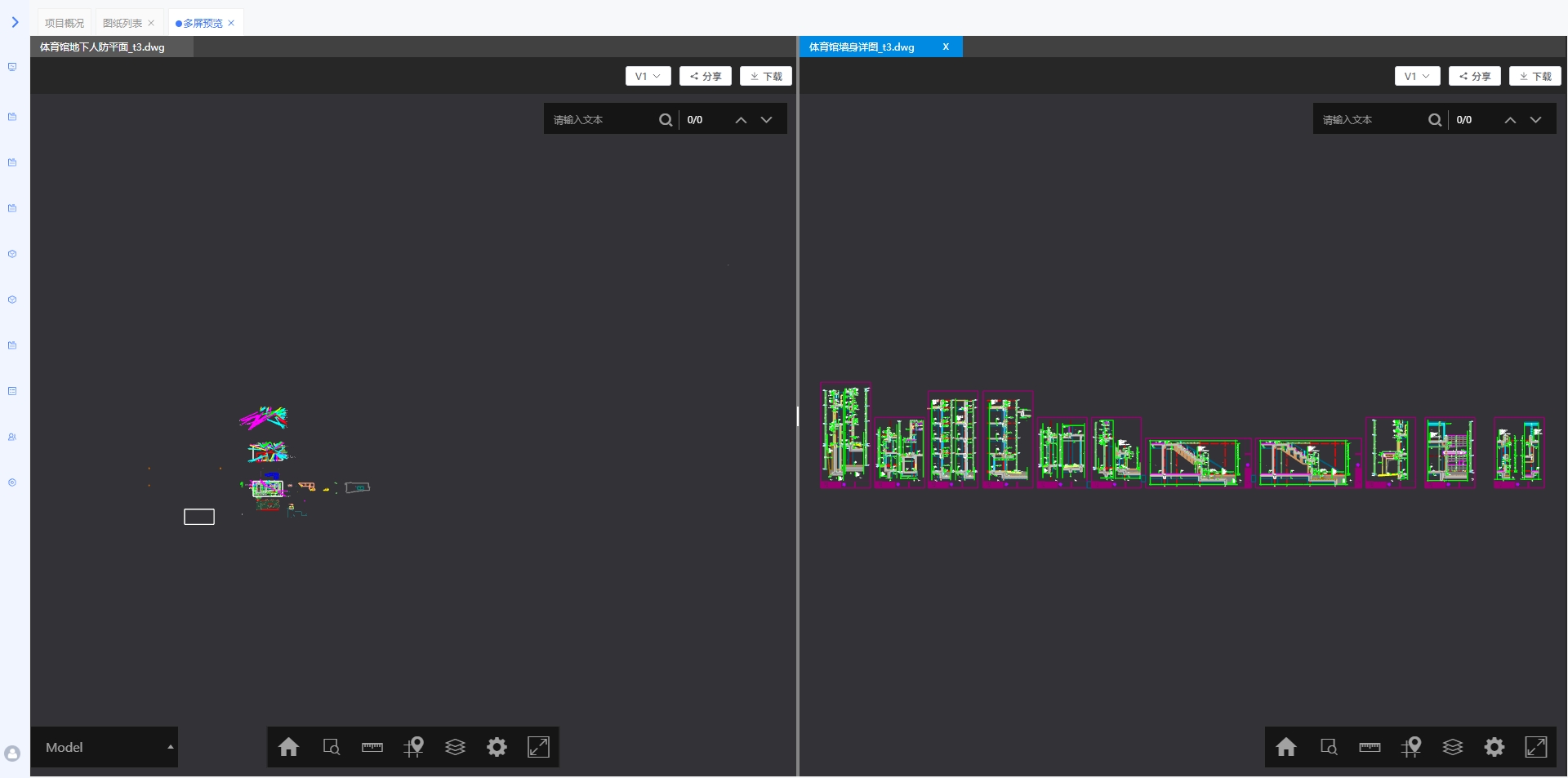
Design comparison, multi-discipline checking, and version review can all happen in one interface.
This may sound simple, but it is highly practical.
During drawing review, the time-consuming part is often not reading one drawing. It is switching, zooming, locating, and comparing between multiple drawings.
5. Sync Drive: Local Work, Cloud Updates
Many engineers still prefer working in local folders.
That is normal. A good collaboration tool should not force everyone to abandon familiar workflows. Instead, it should connect those workflows to the wider project environment.
The uBIM Collaboration Platform provides a sync drive. After binding a local folder, file creation, modification, and deletion can be synchronized with the cloud in real time.
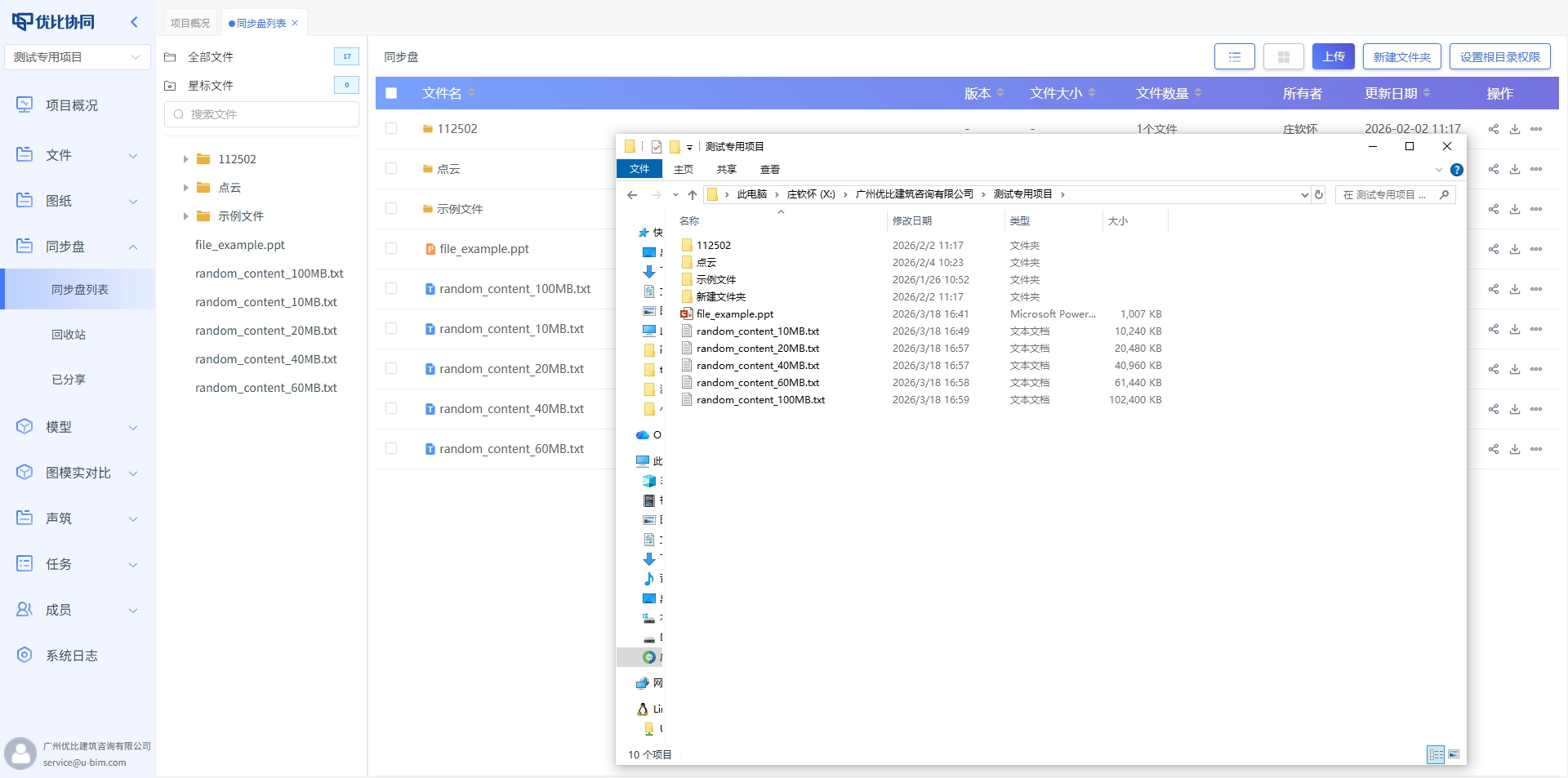
Save locally, sync instantly.
This is especially useful for frequently updated drawings, models, and document folders. It also helps reduce repeated uploading, repeated downloading, and outdated versions.
6. Model Integration: Bring BIM Models into Real Collaboration
BIM models should not remain locked inside professional desktop software.
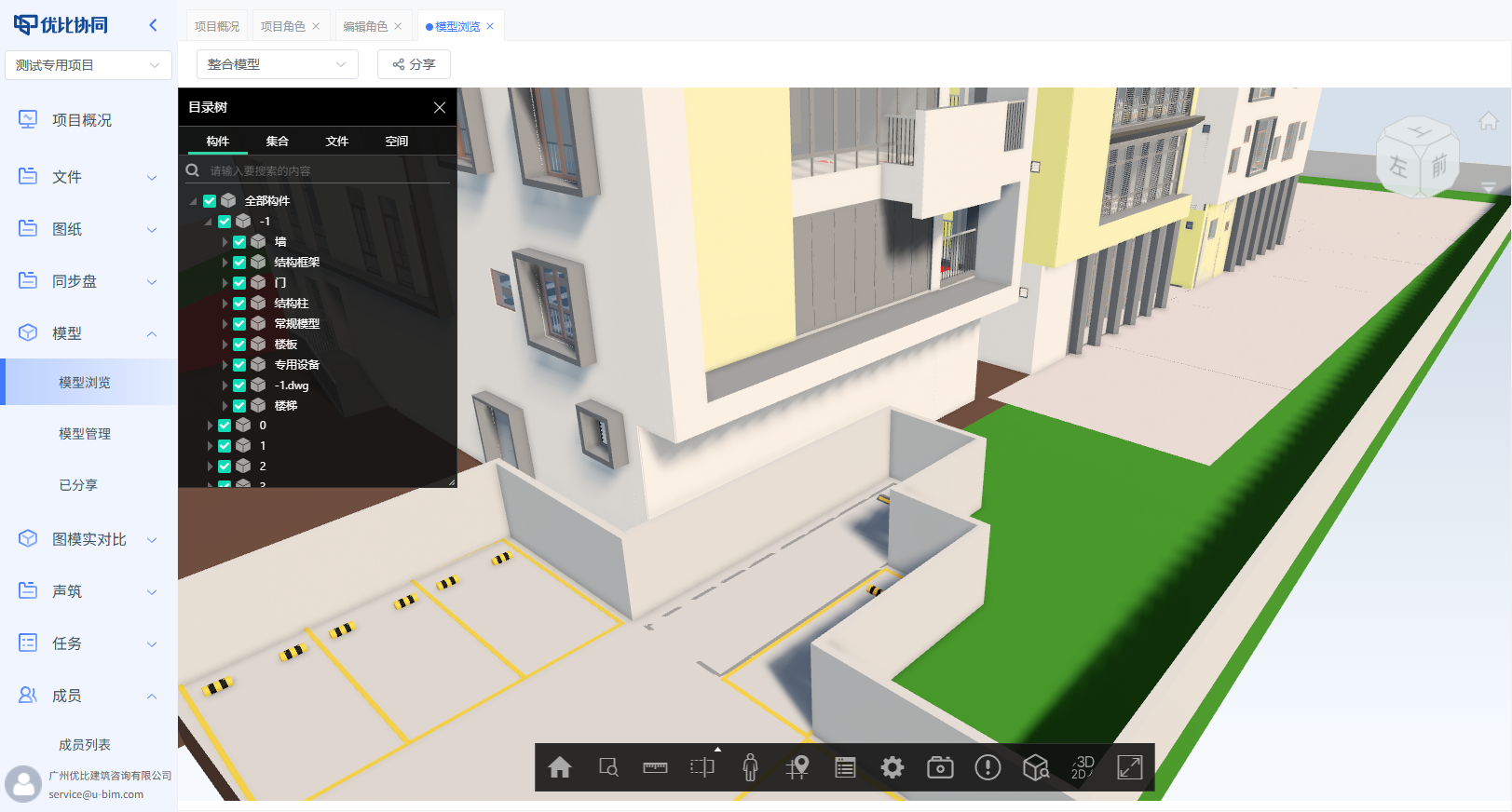
The uBIM Collaboration Platform integrates BIM lightweighting capabilities, allowing architectural, structural, MEP, and other discipline models to be combined online into a unified project model scene.
On top of that, the platform provides several practical model collaboration tools:
Saved Viewpoints
Key viewpoints can be saved with one click, making presentations, reviews, and issue discussions faster.
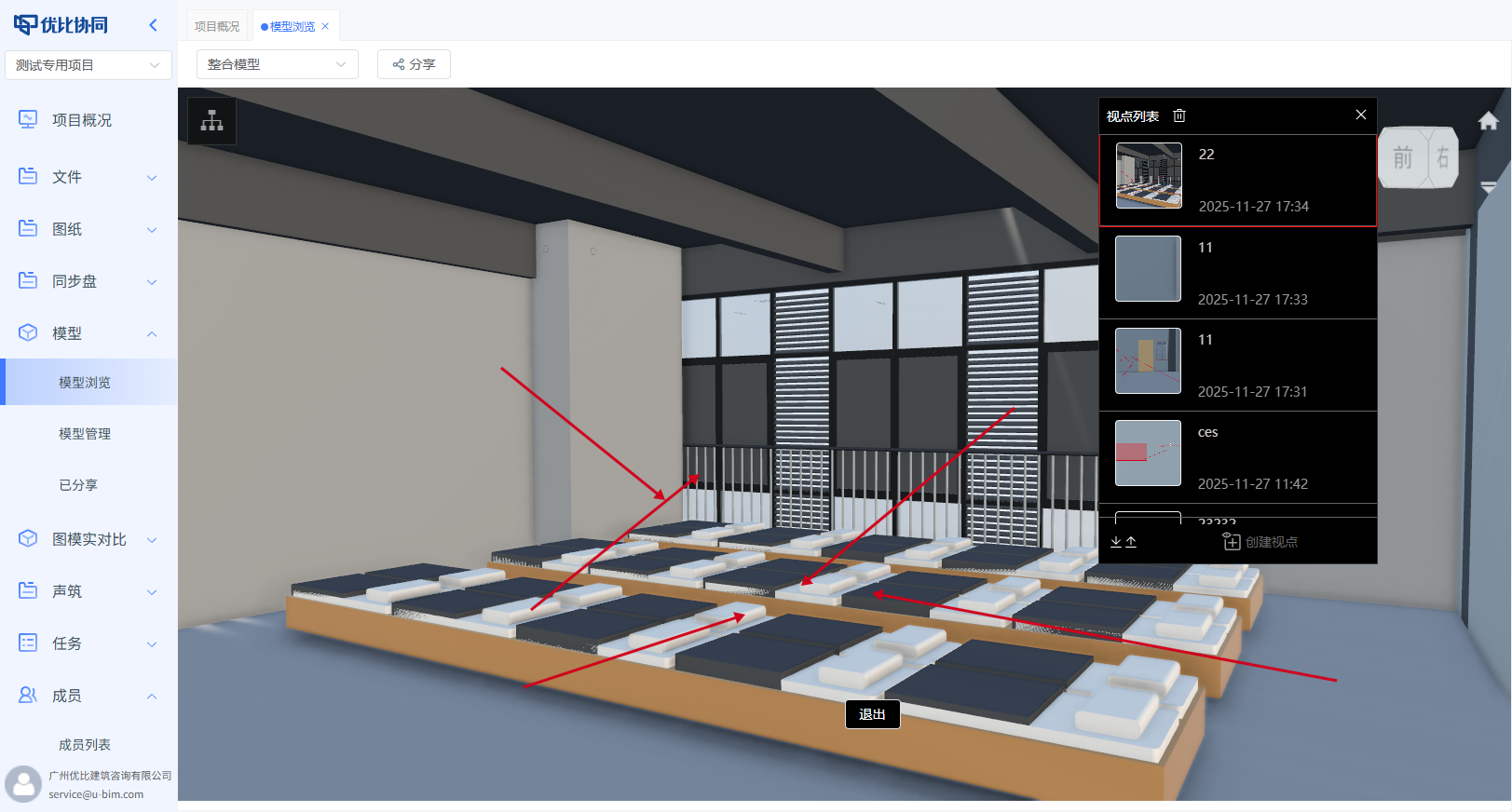
Component Search
Teams can quickly locate components in large models and view their property information.
2D and 3D Linkage
Drawings and 3D models can be viewed together. Select a point in one view, and the related spatial context becomes clear.
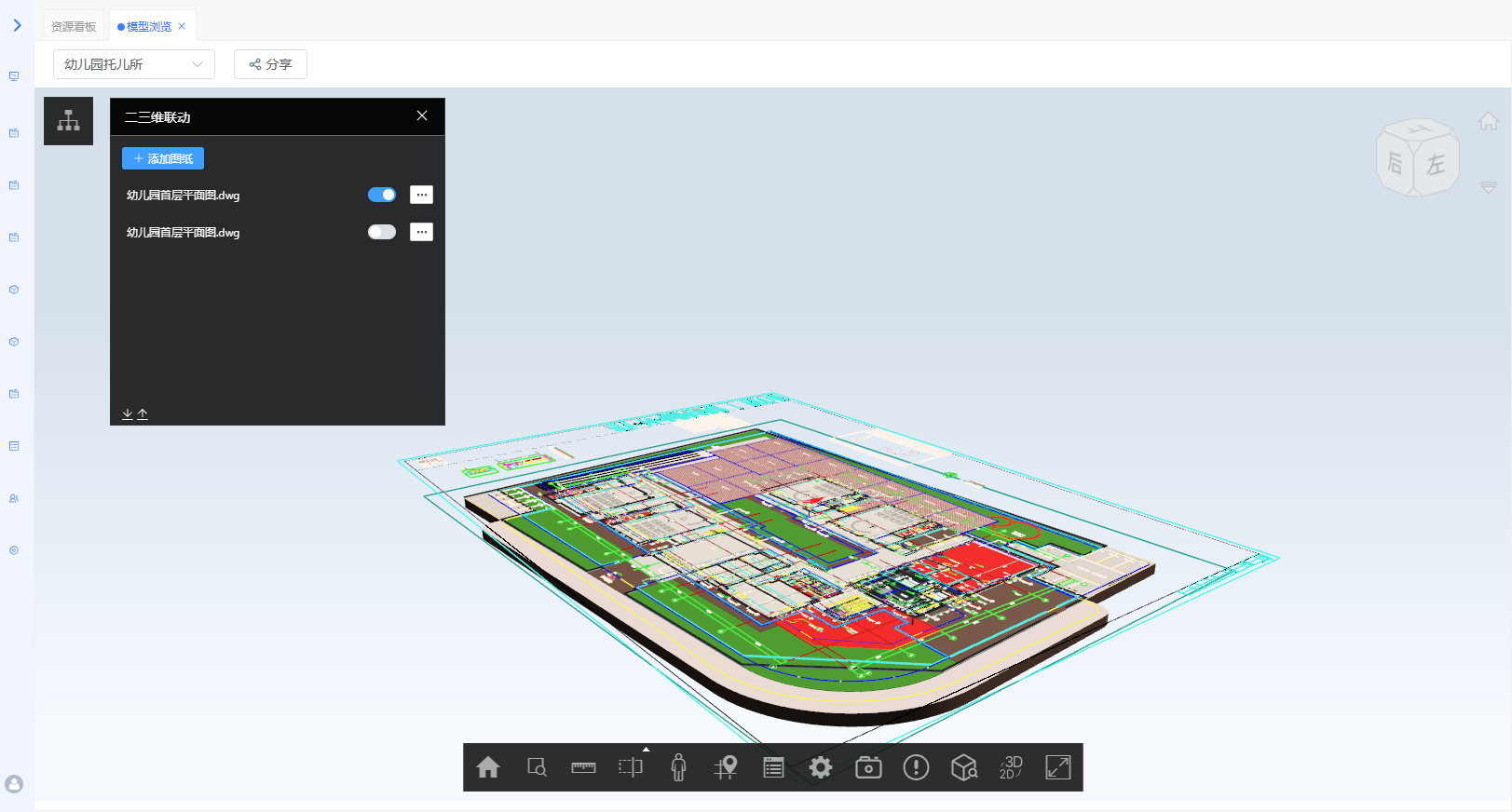
This is a key step for engineering collaboration:
From simply viewing models to using models to communicate problems.
7. Drawing-Model-Reality Comparison: Design, BIM, and Site Reality on One Screen
If there is one feature that brings the project site closest to the screen, it is drawing-model-reality comparison.
The uBIM Collaboration Platform supports synchronized viewing of design drawings, BIM models, 360° panoramas, or 360° panoramic videos in one interface.
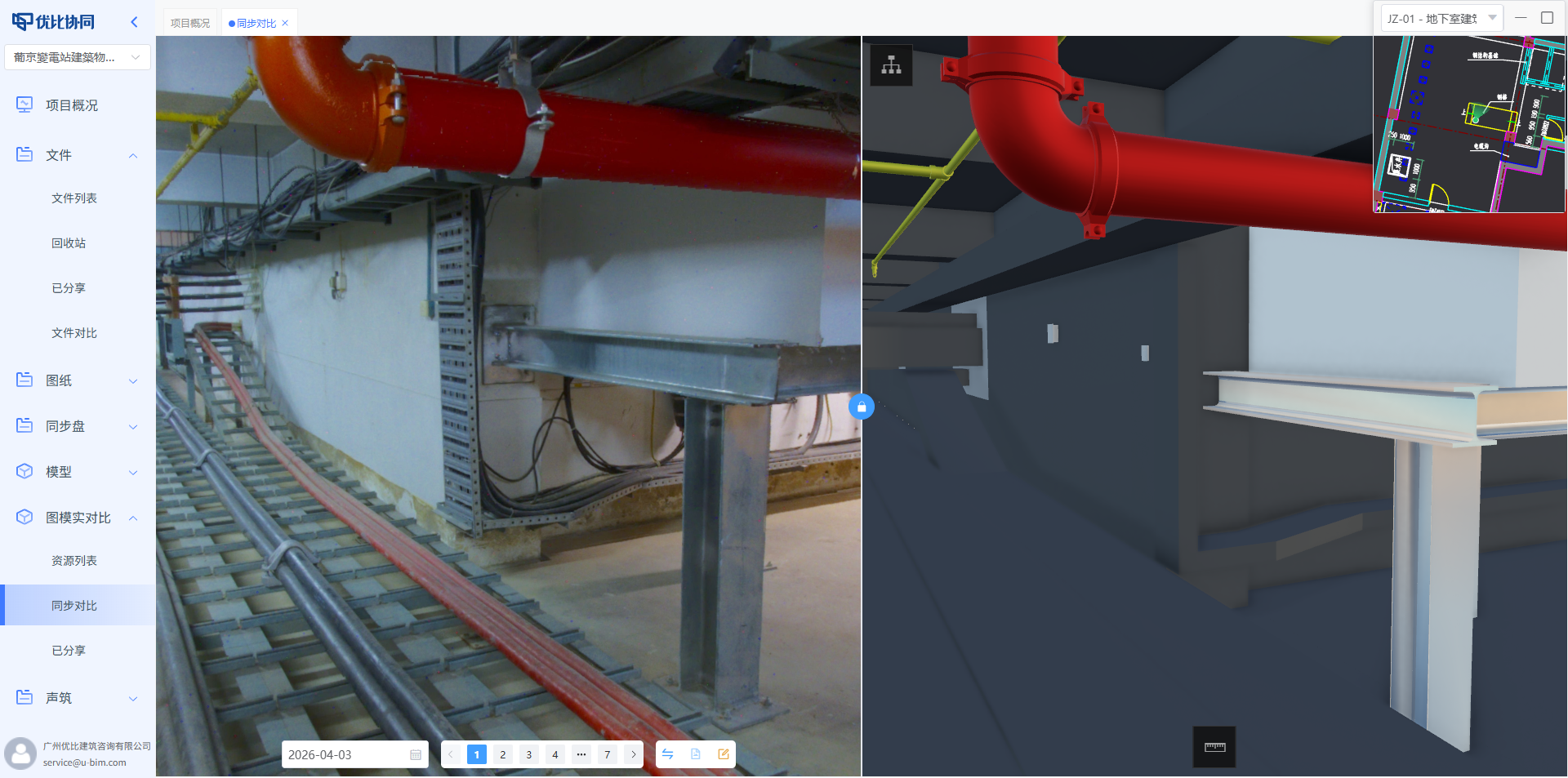
When one view is moved, the other views can follow in sync.
This means site managers can see three things at the same time:
What the drawing requires, what the BIM model shows, and what has actually been built on site.
Construction deviations, design conflicts, and quality issues no longer need to be guessed from text descriptions and a few photos. They can be compared directly in one synchronized workspace.
8. SoundBuild: Turn Engineering Meetings into Project Assets
Engineering projects have many meetings, but not every meeting is properly recorded and reused.
The SoundBuild capability in the uBIM Collaboration Platform can convert meeting recordings into structured text and supports separated playback for different speakers.
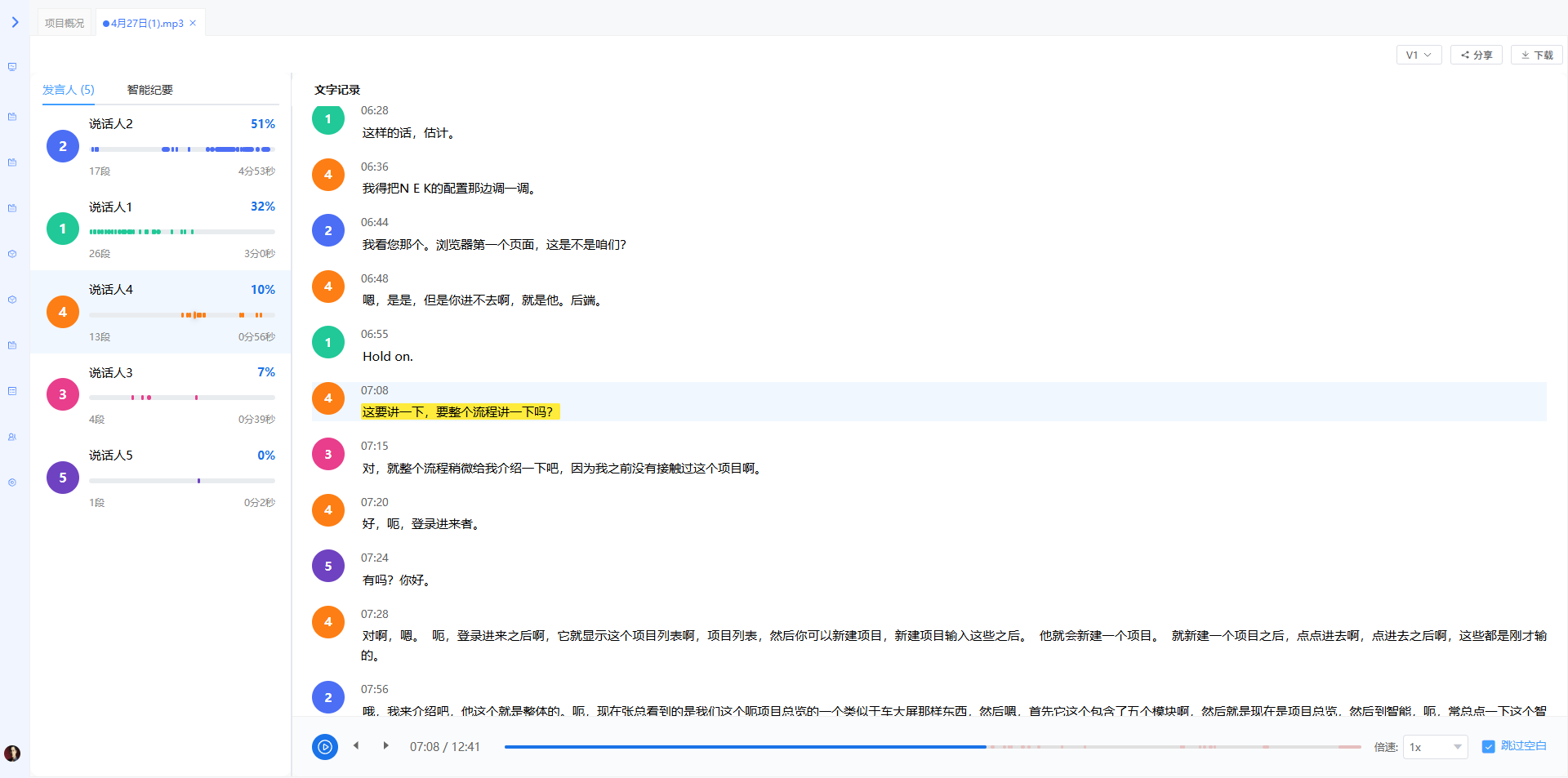

This is valuable for project management.
Meeting minutes are not just documents after a meeting. They are also important references for accountability, review, task assignment, and decision confirmation.
When meeting content can be recorded, searched, and played back, teams have a more reliable answer to the question: “What was actually agreed at the time?”
9. Task Management: Make Every Issue Reach Closure
Collaboration ultimately needs execution.
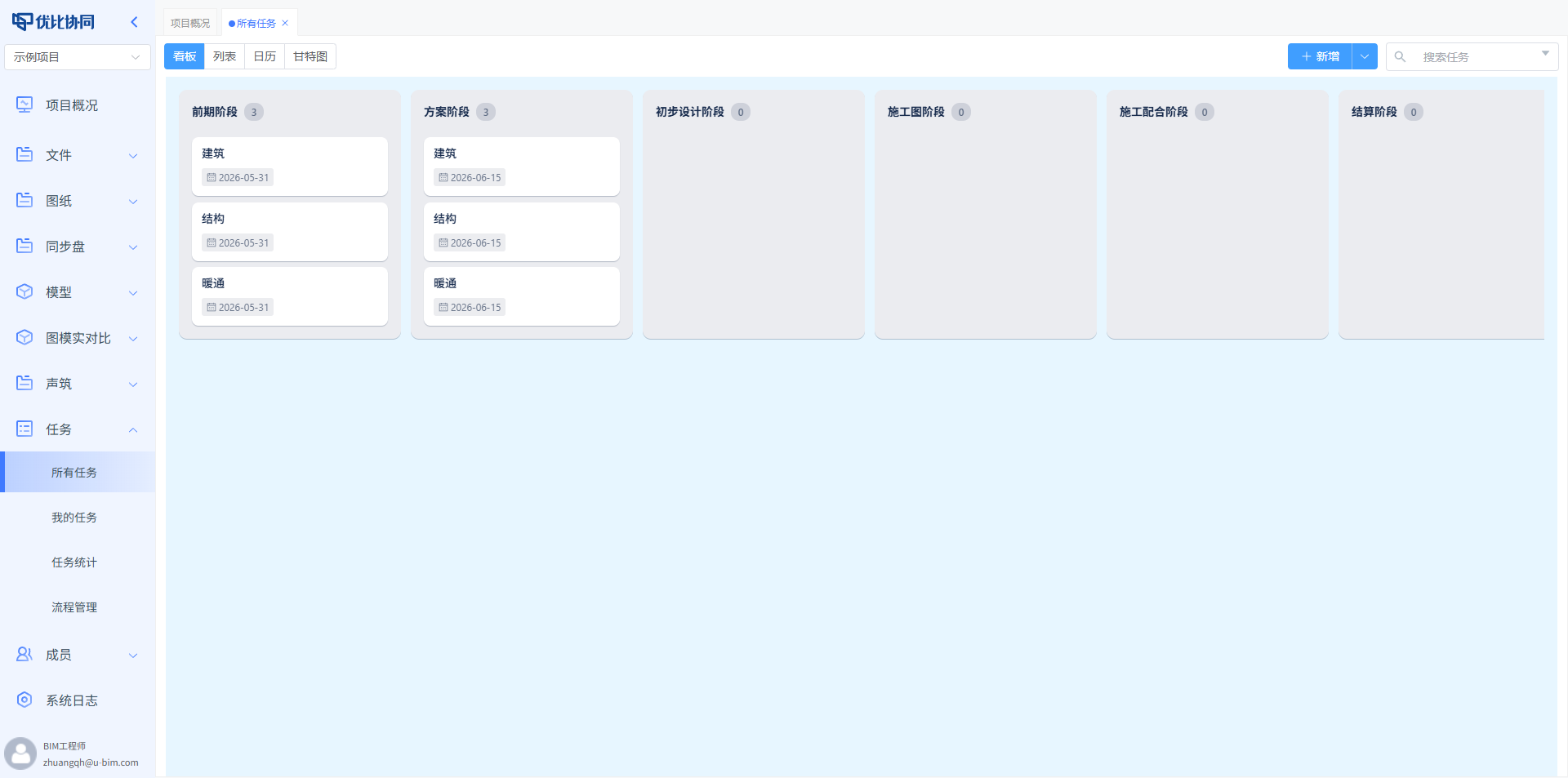
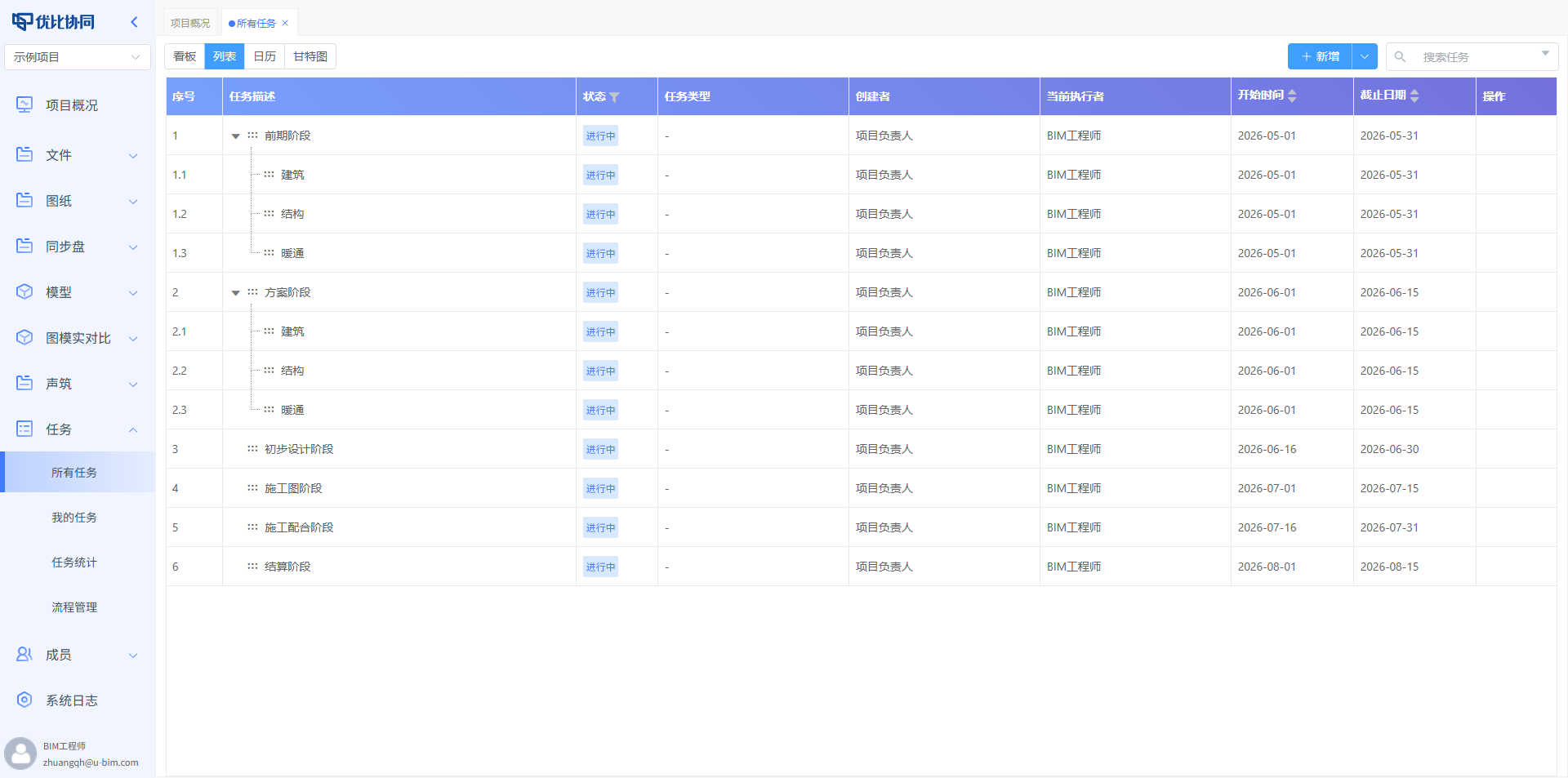
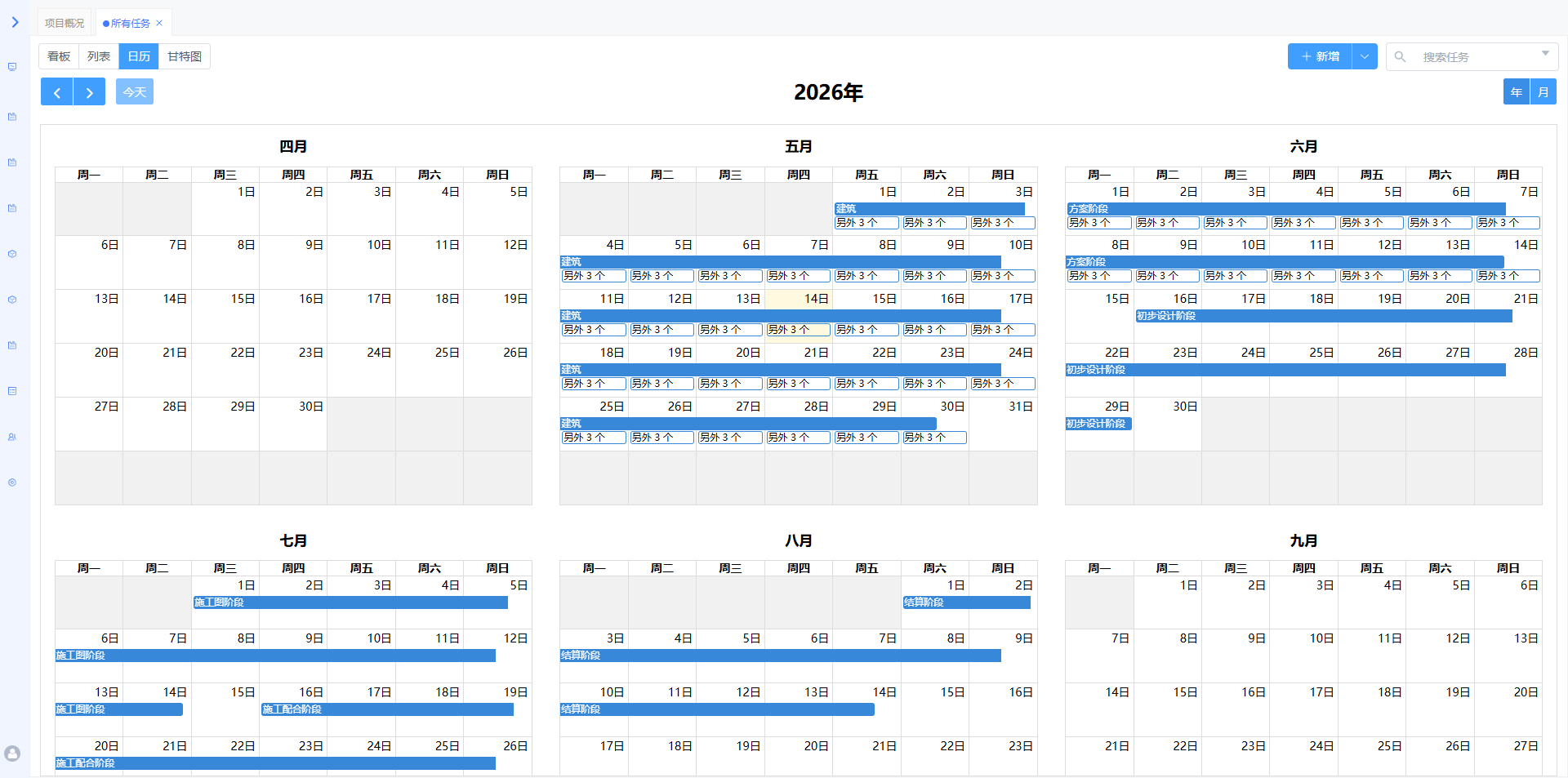
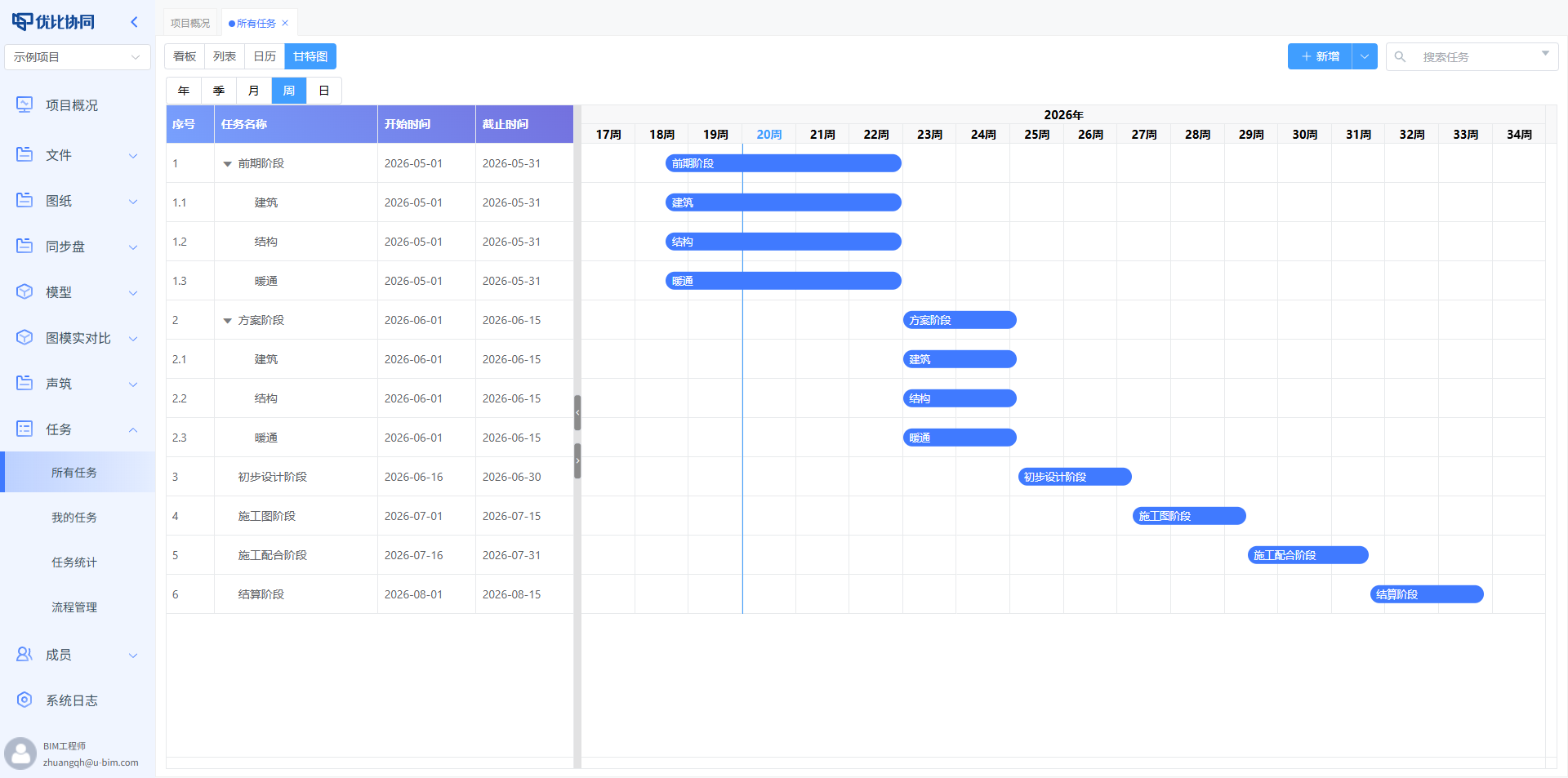
The uBIM Collaboration Platform provides task management with four views: Kanban, tree list, calendar, and Gantt chart.
Kanban is useful for workflow tracking:
Tree lists are useful for WBS breakdown:
Calendars are useful for schedule planning:
Gantt charts are useful for overall progress control:
The same task data can be viewed from different perspectives by different roles.
Management teams can track progress. Discipline leads can review assignments. Team members can focus on their own to-dos. Collaboration becomes less about “noted” and more about “completed”.
10. Permissions and Enterprise Management: Collaboration That Stays Under Control
The more open a collaboration platform becomes, the more important permissions are.
The uBIM Collaboration Platform supports project-level permission management. Teams can define unified access policies for external companies and assign more detailed permissions to internal members.
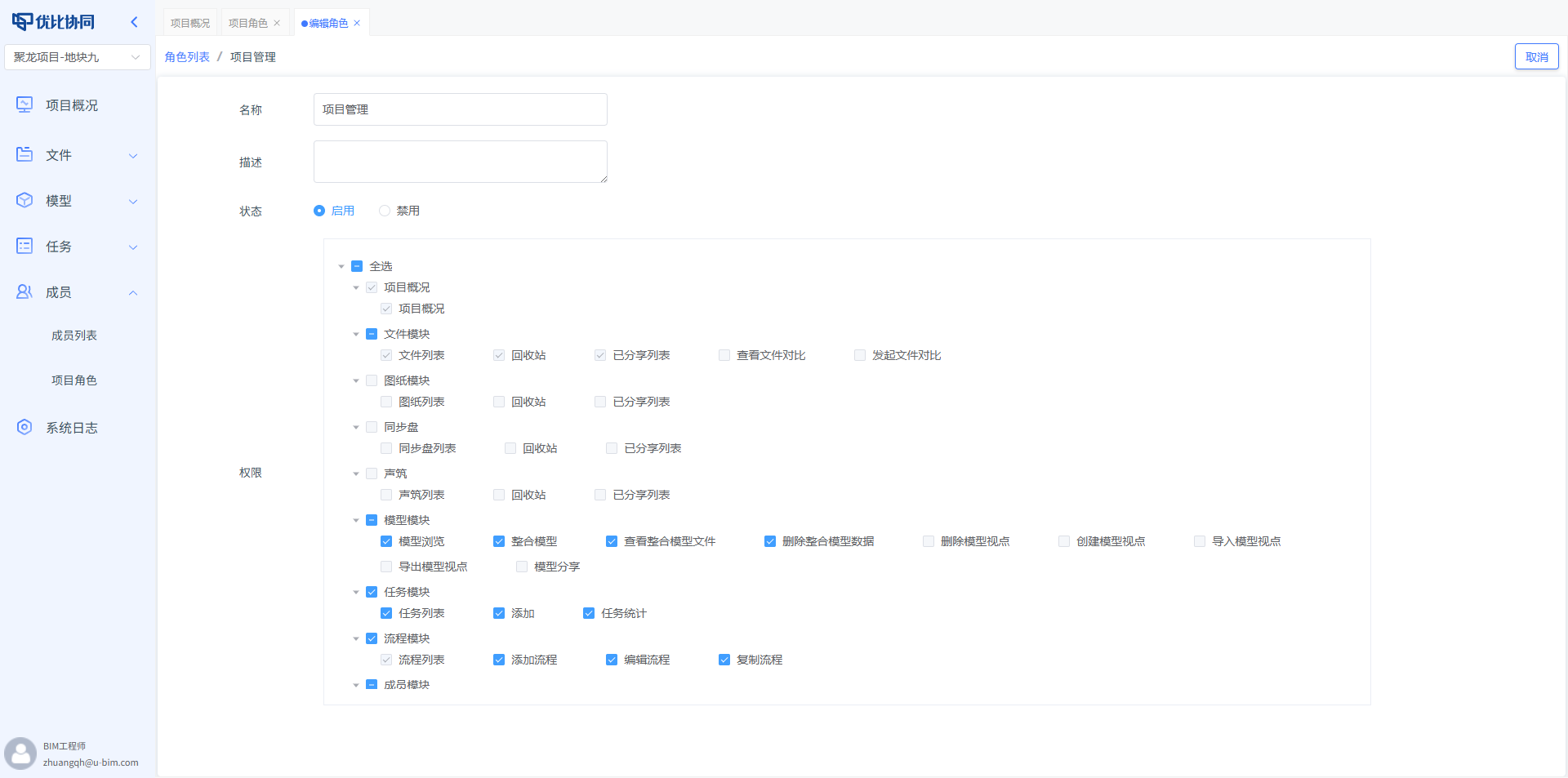
Who can view, upload, edit, or delete can all be configured according to project rules.
For enterprise administrators, the platform also provides an enterprise management center to manage module authorization, resource quotas, project limits, and more.
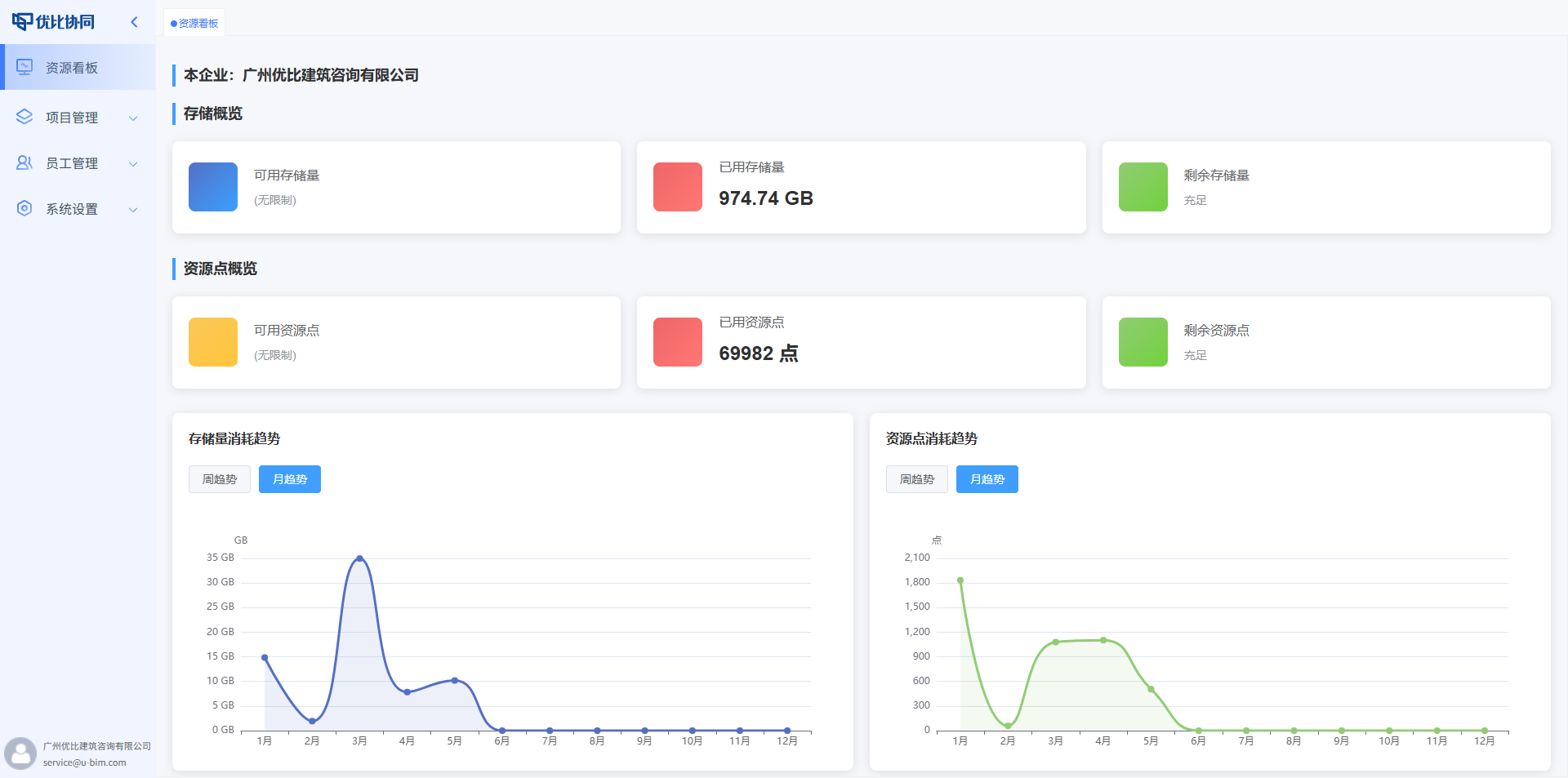
This makes the platform more than a project tool. It can become part of an enterprise-level digital collaboration infrastructure.
Final Thoughts
The uBIM Collaboration Platform is not a simple collection of isolated features.
It is designed to solve long-standing collaboration gaps in engineering projects:
Files disconnected from drawings. Drawings disconnected from models. Models disconnected from site reality. Meetings disconnected from tasks. Project execution disconnected from enterprise management.
By bringing these elements into one project workspace, the uBIM Collaboration Platform helps information flow, issues stay traceable, site reality remain visible, meetings become reusable, and tasks move toward closure.
Boundless collaboration. Practical efficiency.
The uBIM Collaboration Platform keeps every project within reach.