As a BIMer, are you still frustrated by the chaos of Revit version numbers? Files won’t open, switching between versions is a hassle, and valuable time gets wasted. Now, introducing [Revit Version Detector] — an innovative free tool that ends your version headaches with simple operation, permanent free access, and one-click efficiency.
How to Use
1、Download and installuBIM Plugin Manager
2、Open uBIM Plugin Manager, then find “Revit Version Detector” and click “Install”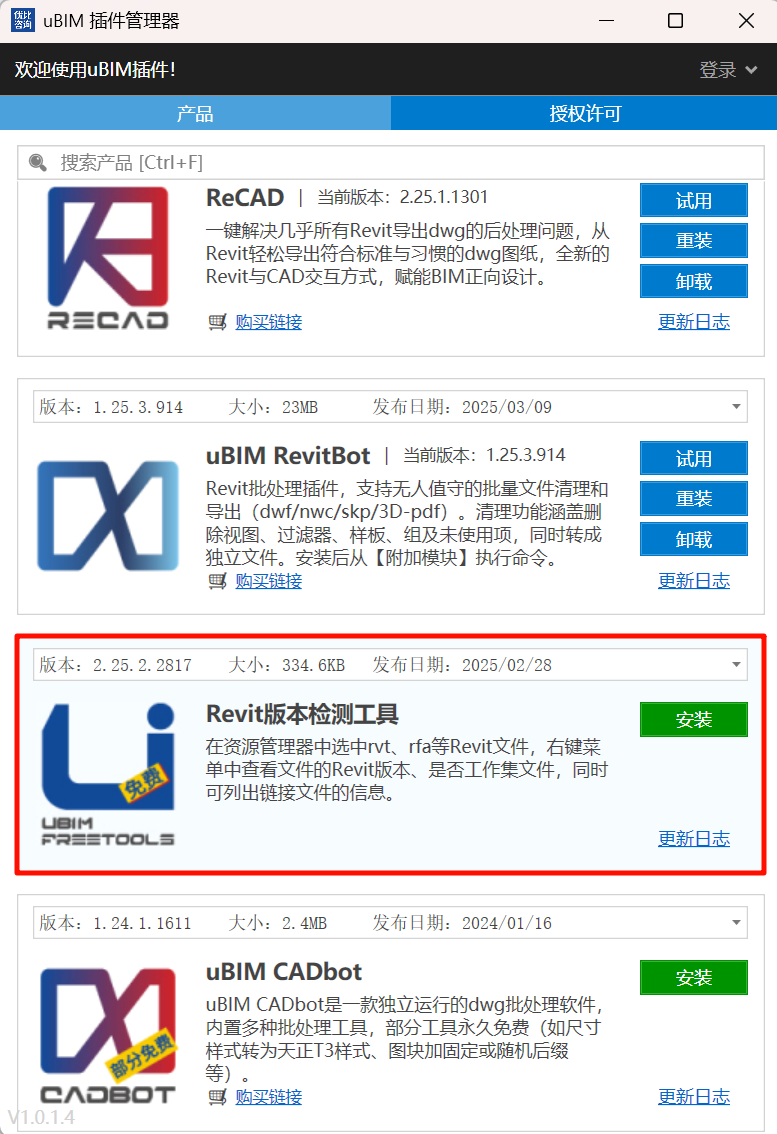
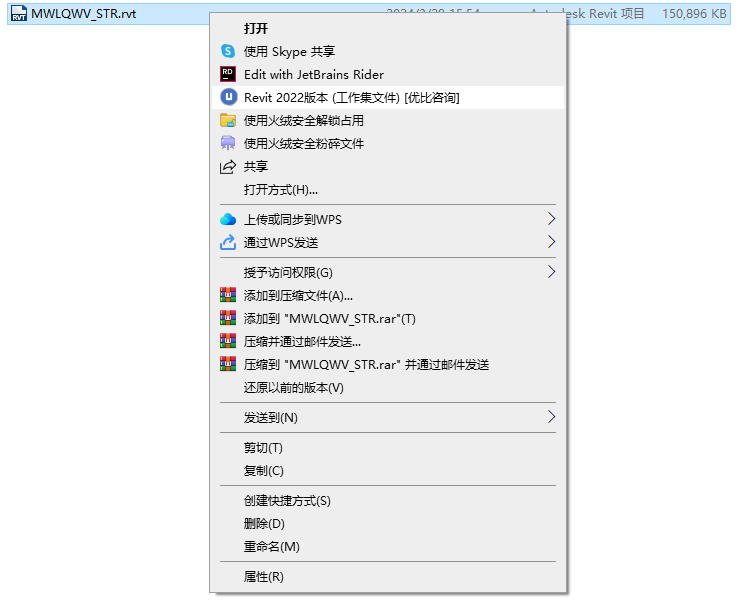
After installation, right-click any Revit file to access the following features:
Simply right-click a Revit file to view its version number.
The tool now intelligently identifies whether the file is a workshared project or an independent file, helping you avoid the common mistake of accidentally opening a central model.
You can also select multiple files at once to batch-check their versions.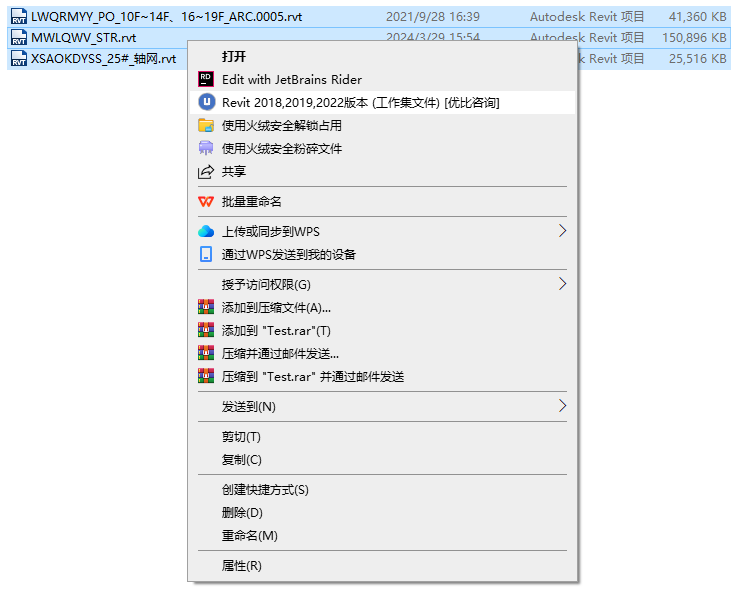
Tip: On Windows 11, right-click and select “Show more options” from the menu to see the version check option.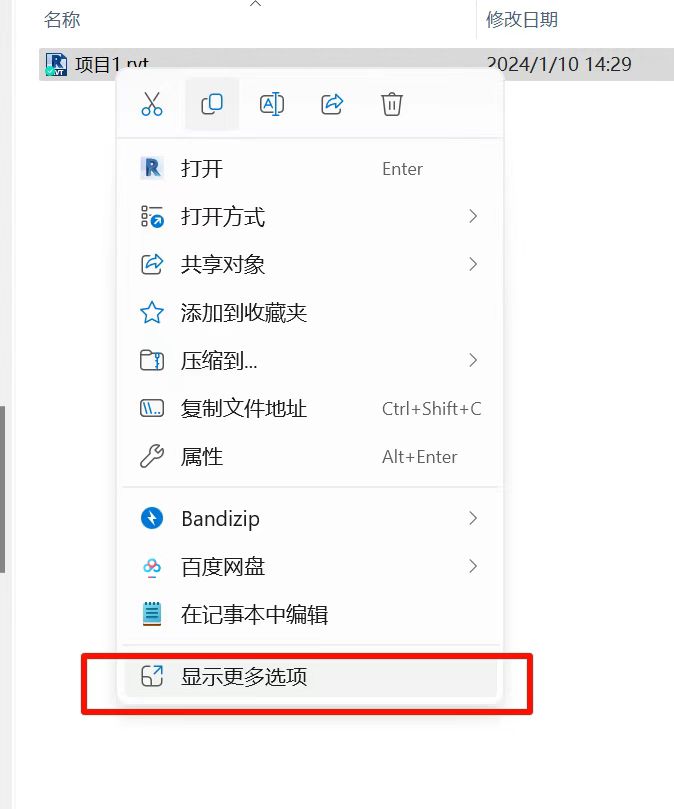
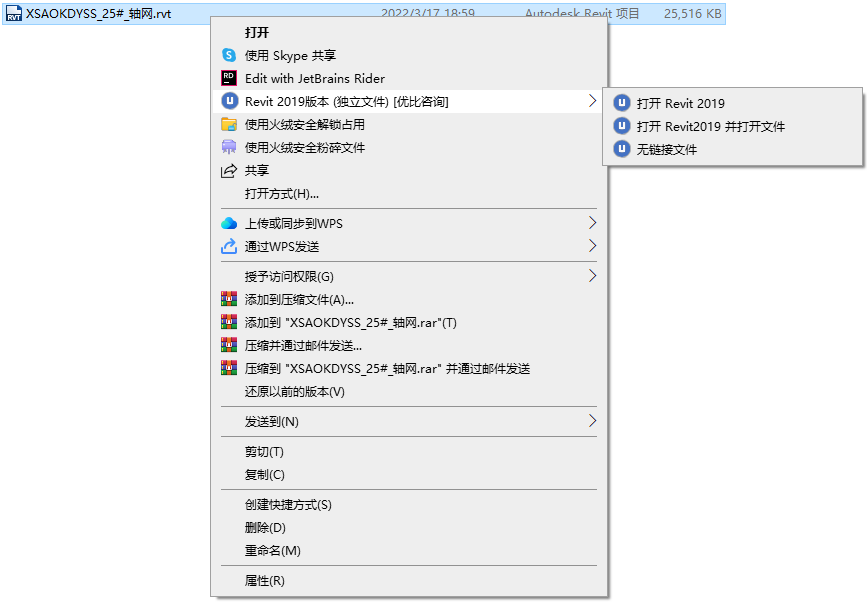
02. Smart Revit Launch
Open the correct version of Revit with a single click — no more version mismatch frustrations.
For independent files, choose “Open Revit and load file.”
For workshared files, to avoid automatically creating a local copy, choose “Open Revit” first and then open the project manually.
This flexibility greatly improves your workflow efficiency.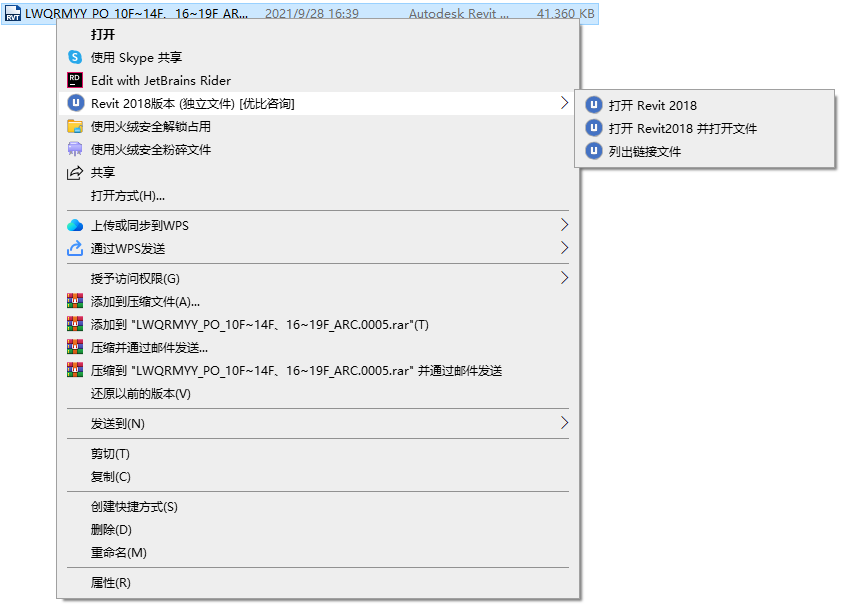
03. List Linked Files
This unique new feature lets you view all linked files instantly—without opening Revit.
Whether Revit links or CAD links, their paths and statuses are listed clearly, helping you manage and troubleshoot links efficiently.
The tool also supports .rte, .rft, and .rfa file formats.
And it’s completely free—forever.
Share this with your colleagues who are tormented by Revit version issues — and save their hairlines from further stress!
Download【uBIM Plugin Manager】,now to explore more powerful and free “magic tools.”